Use
The dashboard
The dashboard is OpenFusion's local web UI. It opens automatically at http://localhost:9077 the first time your agent starts the server — or start it anytime:
openfusion-ui # or: npx openfusion-uiIt binds to 127.0.0.1 only — nothing outside your machine can reach it. Four tabs: Playground · Dashboard · Settings · Errors.
Playground
The Playground is a fusion workbench in your browser: write a prompt (with optional context), pick a persona, press Run, and watch the candidates answer and the judge synthesize live. It runs the exact same engine your agent uses, so a Playground run shows up in your history and stats like any other.
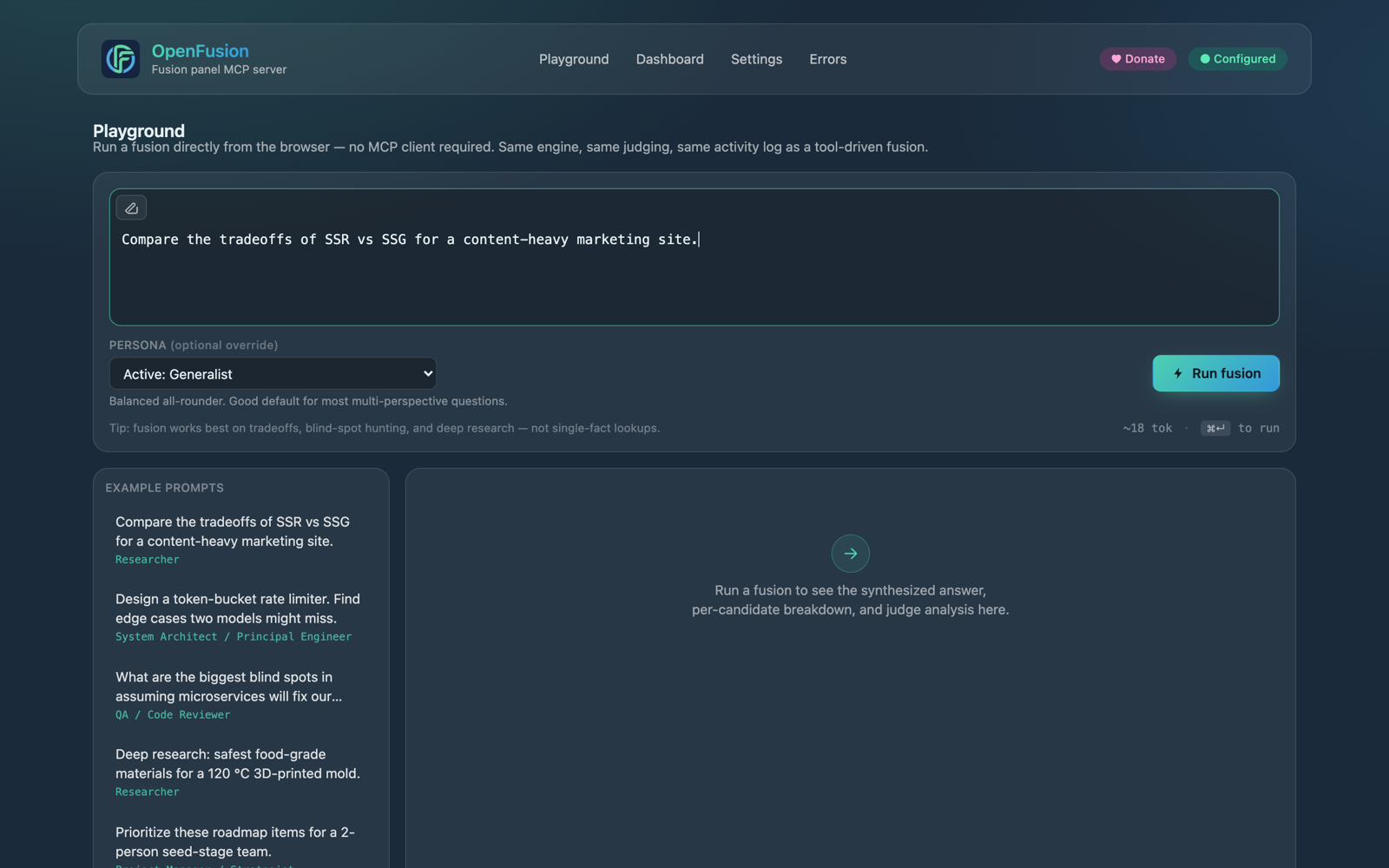
The Playground — a fusion workbench in the browser.
Useful when you're tuning the panel: try different candidate mixes here before committing them as the active setup. The history rail on the left keeps every past run — click one to re-read its full answer and the candidate-by-candidate breakdown, including runs your agent kicked off.
Dashboard
The overview tab: activity and cost at a glance, from the same local database every fusion writes to.
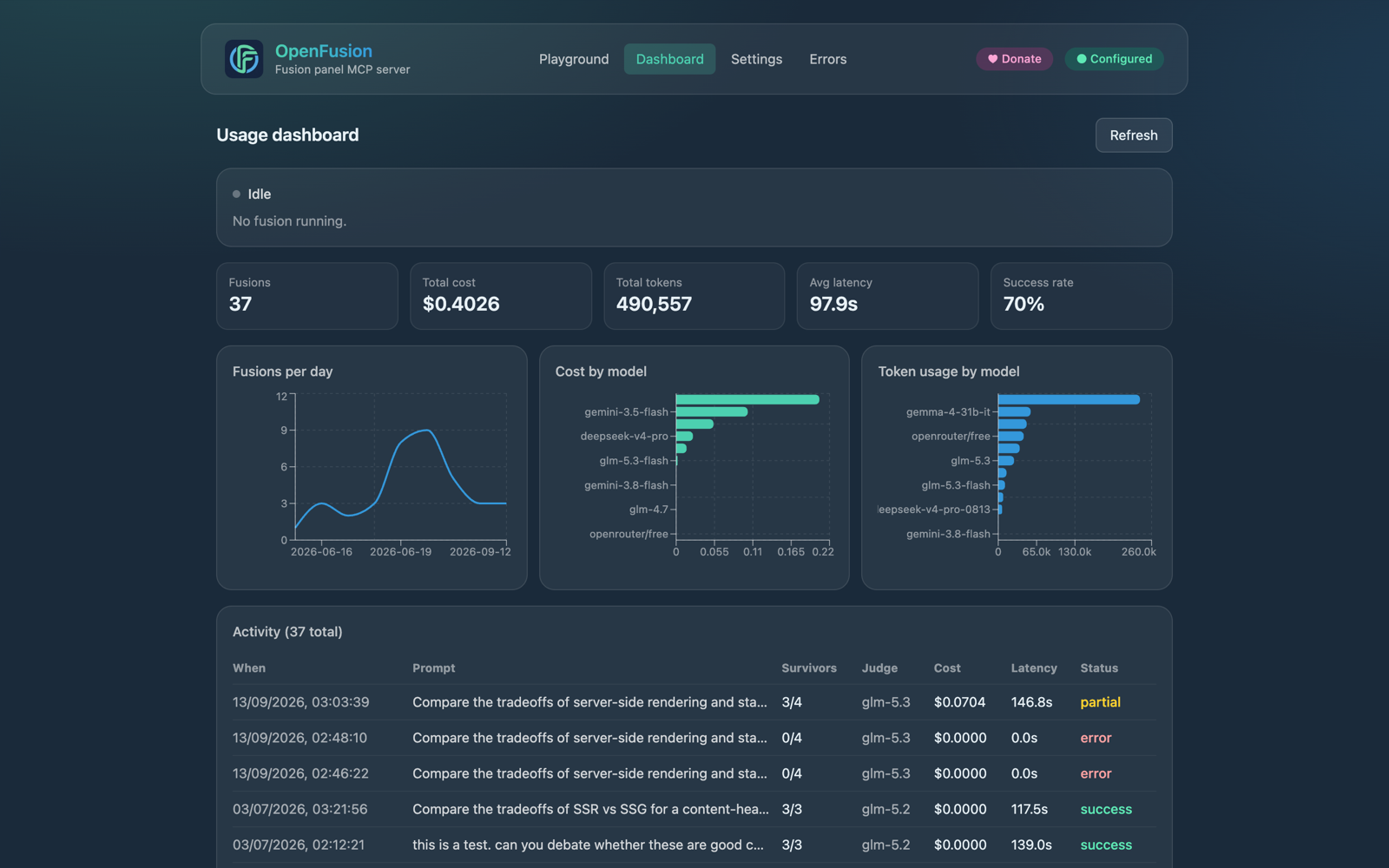
The usage dashboard — KPIs, per-model charts, and the activity log.
- KPIs — fusions run, total spend, token usage.
- Fusions per day and cost by model and tokens by model charts.
- Expandable activity log — every fusion opens into its sub-calls: each candidate and judge step, with model, cost, tokens, and latency.
Because each fusion stores one row per sub-call (N candidates + two judge steps), the charts can slice spending by model — you'll see exactly which panel member earns its keep.
Settings
Models, judge, keys, execution mode, and personas — all covered in Configuration. Changes apply immediately; the ● Configured badge turns green when the fusion tool is ready.
Errors
Fusions that failed or were interrupted land here with the reason — unconfigured setup, failing keys, candidates that timed out. If a client reported a fusion as failed but you suspect it finished, check here first: results often complete and log even when the client's own timeout gave up (more on that).
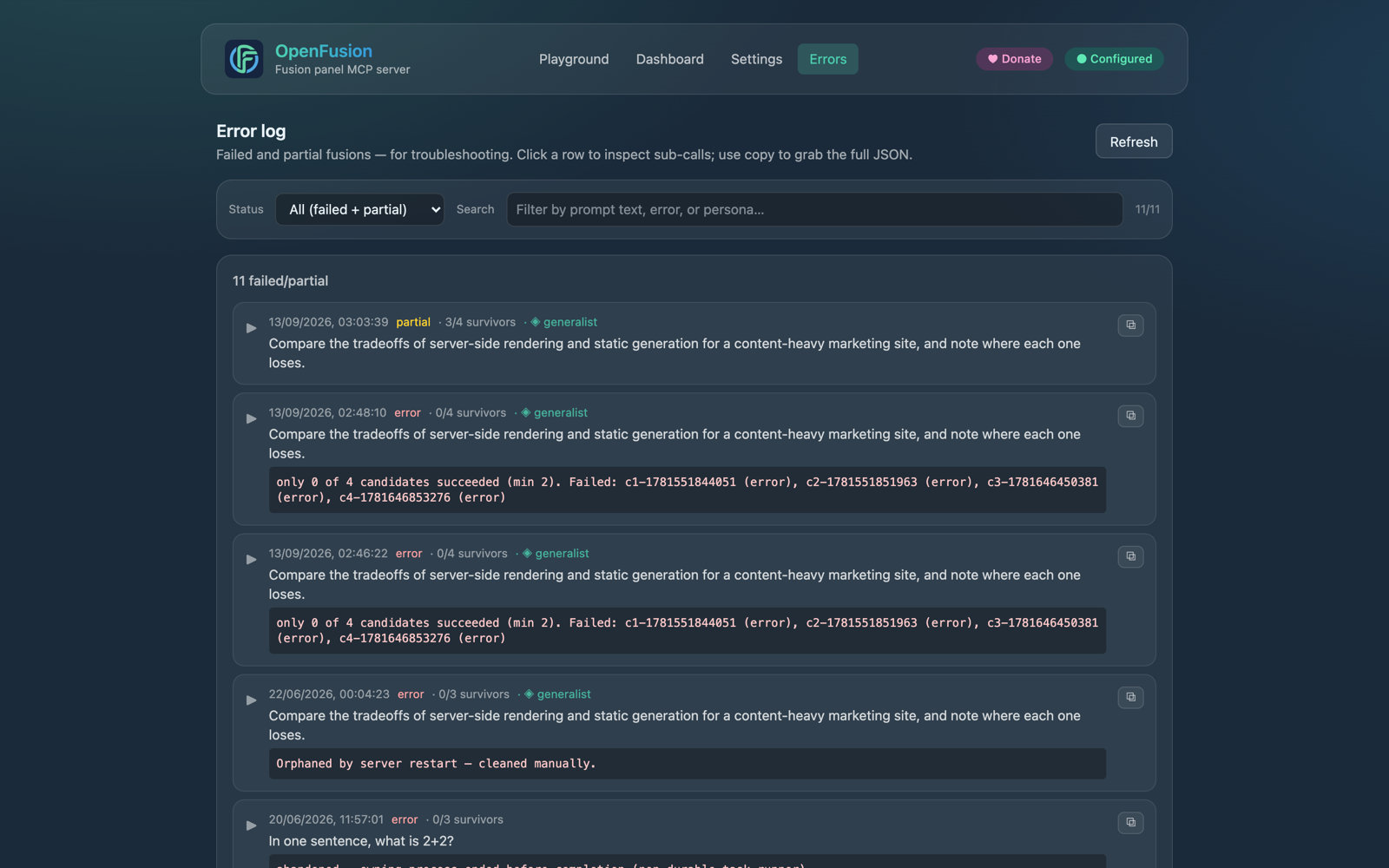
The error log — failed and partial fusions, with the reason attached.
Privacy
The dashboard, the engine, the database, and your encrypted keys all run on your machine. The only outbound traffic is the model calls themselves — from your machine directly to the providers you configured.
Next up